
The Teams Admin Center Explained: A Full Reference for IT Admins
From finding your way around the dashboard to handling users, policies, and tenant-wide settings — a full tour of the Teams Admin Center.
Twenty-four hands-on guides covering cloud suite and Teams governance, security, compliance, and day-to-day administration. Filter by topic to find what you need.
From finding your way around the dashboard to handling users, policies, and tenant-wide settings — a full tour of the Teams Admin Center.
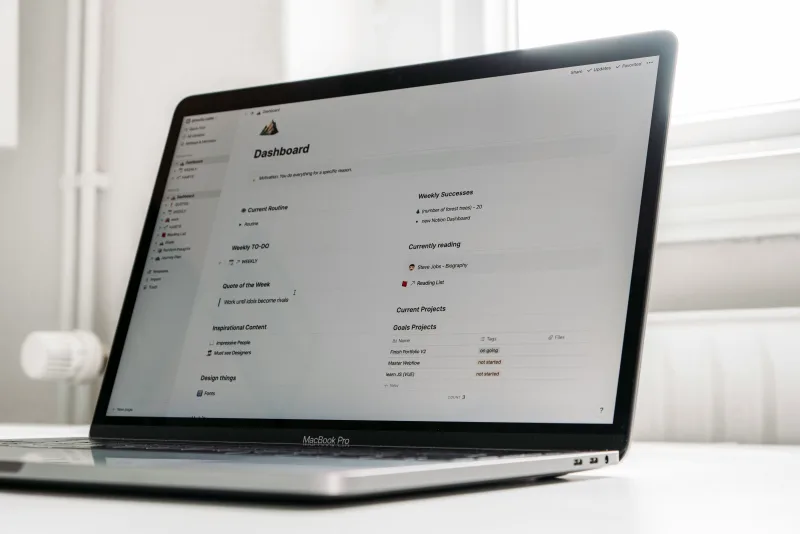
Teams policy assignment offers more flexibility than many admins expect — group-based assignment, bulk operations, and shaping policies for different user populations.

Who can do what inside Teams meetings comes down to meeting policies. Every important setting is covered, from recording rights to lobby bypass and transcription controls.

What users may send, edit, or delete in chats and channels is governed by messaging policies. A working look at the settings that matter most for governance.

A governance framework should exist before your first policy does. Setting ownership, defining creation rules, and recording your organisation’s decisions in a way that scales.

Messy team names are the symptom, not the disease. Designing naming conventions people will genuinely follow, and enforcing them with cloud platform group naming policies.

Every team is born and eventually retires. Managing the whole lifecycle — provisioning, upkeep, expiration policies, and archiving — keeps Teams from turning into a graveyard of stale workspaces.

Sooner or later most organisations face Teams sprawl: abandoned workspaces, duplicate teams, and unclear ownership. How to stop it early, and how to recover ground once it has started.

Sign-in security, guest controls, external sharing, data classification, and audit logging — a hands-on checklist of what every admin should confirm before launch.

Data classification can be attached straight to Teams channels and sites with sensitivity labels — covering access, encryption, and content marking. Rolling them out tenant-wide, step by step.

Teams DLP policies can warn on or block sensitive content in chats and channels, yet the setup is trickier than expected. A guide to the decisions that matter.
Few cloud suite controls pay off like Conditional Access. Designing and deploying policies that secure Teams without shutting out legitimate users.

Guest access invites outside collaborators into your Teams tenant — and without solid controls it turns into a governance problem. Configuring it safely and keeping it orderly.

Guest access and external access are not the same, and picking the right one matters. The trade-offs and configuration choices that shape your external collaboration posture.

With B2B direct connect, users in separate cloud suite tenants work together in shared channels with no classic guest invitation. When it fits, and how to set it up.

Knowing who shares what with whom — particularly once outsiders are involved — is essential. Auditing external sharing through the compliance portal audit log and PowerShell.

Teams retention policies are set up in the compliance portal rather than the Teams Admin Center, which surprises many admins. How they actually behave.
When legal or HR asks for a chat export, you must understand how Teams content is stored, where it sits across Exchange and the file service, and how to run an eDiscovery search that holds up.

Legal hold keeps Teams content alive even when a retention policy would have deleted it. How in-place holds function in the cloud suite, and what a hold exercise looks like.

Convenience recording (the “Record” button) and compliance recording are entirely different beasts. In a regulated industry, this is what to grasp before deploying.

Teams is deployed, but are people using it as planned? The adoption metrics that reveal the true picture and how to draw them from the admin reports.

A governance audit tells you whether your tenant’s real configuration matches the paperwork. A structured way to run one, plus what to do with what it uncovers.

Deploying Teams technically is usually the simple half. Changing how people communicate — and getting them to drop older tools — is where rollouts get stuck. A hands-on change management method.

Both the admin center and the Teams Admin Center expose usage reports, yet they measure different things. What exists, where to find it, and how to put it to work.